


Warm Wishes: Greetings & Cards
4.538.00 Reviews
App Specs
- Version
- 5.15.7
- Updated On
- License
- Free
- Downloads
- 50,000+
- Developer
- good space. Sprüche & Bilder zum Verschicken
- Categories
- Lifestyle
- Platform
- Android
Screenshots
 Analysis by AppCompare
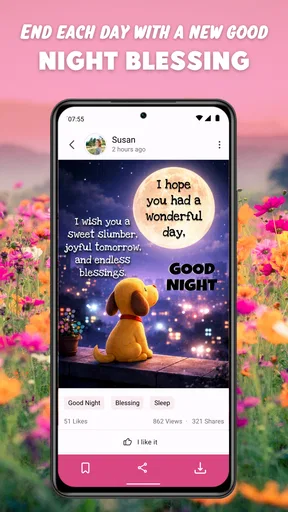
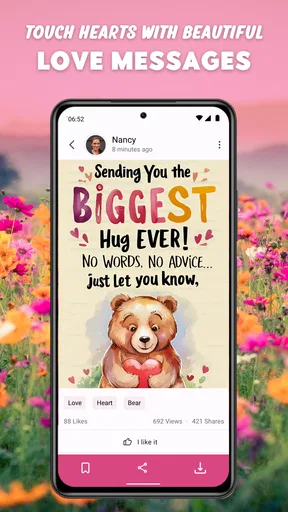
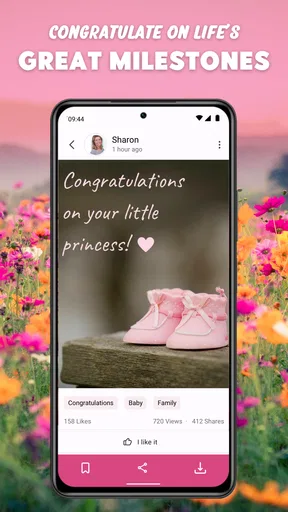
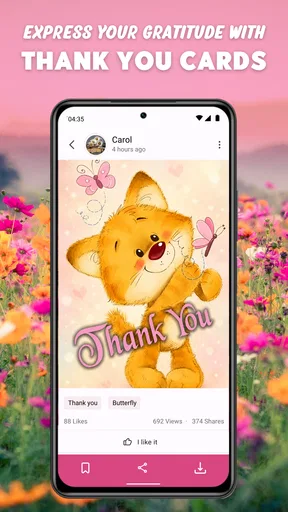
Some apps are useful because they solve a large problem, while others earn their place by helping with small moments that are easy to overlook. Warm Wishes: Greetings & Cards belongs to the second group. I see it as a lifestyle app for people who like sending a thoughtful visual message but do not always have the time or inspiration to create one from scratch. Its focus is simple: cards for birthdays, affection, good nights, and other everyday greetings.
After using it, my first impression was that its appeal is immediate. You can open it when someone’s birthday suddenly appears on your calendar, when a friend needs encouragement, or when you want to say good night without writing a long message. That convenience is the main reason to keep it installed. The more important question, though, is whether it remains useful after the first burst of browsing. In my experience, it can, but only if you treat it as a practical message shortcut rather than an app you explore for entertainment.
Warm Wishes: Greetings & Cards in everyday use
I use this section to look beyond the first impression and consider how the app’s browsing and ready-made greetings fit into ordinary routines. A useful check is whether I can choose a card without having to make the recipient do extra work: keeping the message concise and adding a personal line can make a visual greeting easier to read and more meaningful.
The first week: quick browsing and easy occasions
The app is developed by good space. Sprüche & Bilder zum Verschicken, and its purpose is easy to understand from the first session. It is a free lifestyle app with an Everyone age rating, so it is aimed at a broad audience rather than a narrow group of hobbyists. The current version is 5.15.7, and the app supports devices running Android 7.1 or later. That older minimum requirement is helpful if you are using a phone that is no longer close to the newest Android generation.
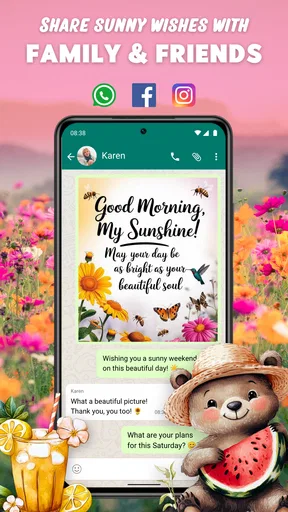
What I liked most during the first few uses was the low mental effort. When I want to send a greeting, I usually do not want to spend several minutes choosing fonts, arranging stickers, and correcting a design that still looks unfinished. A ready-made card gives me a starting point. I can look for something that matches the occasion, decide whether the tone feels right, and then share it through the communication app I already use.
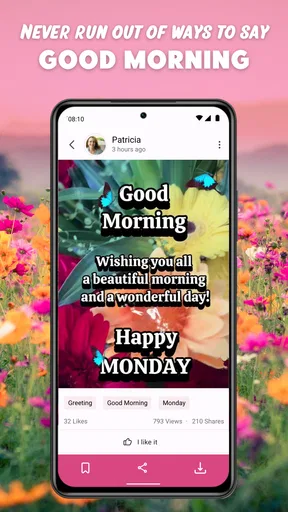
That workflow is especially useful for situations where speed matters more than originality. Imagine remembering a relative’s birthday during a busy workday. You may not have time to design a polished image, but a suitable birthday card can make the message feel more deliberate than a plain “happy birthday” typed in a hurry. The same applies to a good-night greeting sent to a partner, a warm note to a friend, or a short message for someone who is having a difficult week.
The important distinction is that this is not a full graphic-design tool. I would not choose it when I want complete control over layout, colors, wording, or personal photographs. Its strength is the opposite: it reduces decisions. That makes it friendly for people who dislike design software, but limiting for anyone who wants every card to look unmistakably personal.
Worth Reading Before You Choose

EA SPORTS FC Mobile 26 Is a Bigger Football Game, but It Takes Time

Flipboard Shows What News Apps Must Do Beyond the Feed

Switching to Android Auto Means Rethinking Your Driving Routine

Google Calendar Makes a Crowded Week Easier to Manage

Ludo King Makes the Most of the Minutes Between Plans

Baby Panda World Brings Quick Play to Modern Phones, but Its Game Library Feels Busy
Why the visual format works better than a plain message
A visual greeting changes the emotional weight of a short message. Text alone can look rushed, even when the sender means well. A card adds a little ceremony without demanding a long conversation. I found that useful for contacts I care about but do not message every day. The image acts as a gentle opening, and I can add a personal sentence when the occasion deserves more than the card itself.
One practical habit is to avoid sending the image by itself. I get better results when I use the card as the first part of a message and then add a line that refers to the person. For example, a birthday design becomes more genuine when followed by a note about meeting soon or remembering a shared moment. This is a small workflow improvement, but it prevents the app from making messages feel copied and impersonal.
The range of occasions also affects how often the app feels relevant. Birthday wishes are occasional, while good-night greetings and affectionate messages can fit into a regular routine. That variety gives it more staying power than an app built around one annual event. At the same time, I would not expect every category to match every relationship. A romantic image may be perfect for a partner and completely wrong for a colleague, so choosing by recipient is more important than choosing only by the calendar event.
Sharing without turning the process into a project
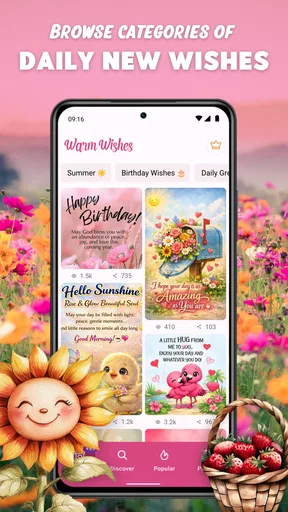
The main value is the distance between finding a suitable card and sending it. I think of the app as a small library of conversation starters. Instead of opening a general image search, sorting through unrelated results, and wondering whether an image is appropriate, I can begin with material designed for greetings. That saves time and reduces the chance of choosing something that looks attractive but does not fit the occasion.
There is also a useful social trade-off here. A ready-made card can help people who struggle to express warmth in writing, but it can also become repetitive if used automatically. My advice is to pause before sharing and ask two questions: does the wording sound like something I would actually say, and would this person appreciate an image rather than a direct message? If the answer to either question is no, a normal text or voice message may be the better choice.
Month-to-month value: where the app earns its place
Long-term value depends on how often your life creates small reasons to send something. If you regularly remember birthdays, keep in touch with family, or enjoy sending morning and evening greetings, the app has a clear recurring role. It is not a tool I would open every day for its own sake. Instead, it becomes useful when a social moment appears.
The app’s reported average rating is 4.5 from around 130 ratings, and it has passed 50K installs. Those figures suggest that it has found a real audience, but they do not replace personal judgment. For me, the stronger sign of value is whether I can return after several weeks and still find an appropriate card without feeling that the app has become clutter in my phone. Its usefulness is tied to occasions, so the answer will vary greatly between a person who sends greetings often and someone who rarely shares this kind of content.
A good monthly routine is to use it selectively rather than making every message a card. I might choose a visual greeting for a birthday, a celebration, or a moment when someone needs encouragement, then use ordinary conversation for everything else. This keeps the cards from losing their meaning. If every interaction becomes a decorated image, even a well-designed one can start to feel automatic.
Another useful approach is to think in terms of recipients instead of categories. I would not browse birthday material only when a birthday arrives. If I know that a particular family member enjoys cheerful images, I can remember that preference and look for something suitable when the moment comes. For a friend who prefers direct conversation, the app may be best used occasionally as a playful extra rather than the main message.
This is also where the app compares favorably with the usual alternatives. A messaging app is better for an ongoing exchange, a social network is better for public interaction, and a design editor is better for custom work. Warm Wishes sits between those options: more focused than a general search and less demanding than making a card yourself. That middle position is its clearest long-term advantage.
The maintenance burden is small, but not zero
Keeping an app like this installed does not require a complicated routine, but it does require a little judgment. The first maintenance task is keeping your expectations realistic. It is a source of ready-to-share greetings, not a replacement for remembering important dates or maintaining relationships. The app can help with the expression, but it cannot supply the personal attention behind it.
I also recommend checking the wording before sending anything. A phrase that sounds sweet in one context can feel exaggerated in another. This matters particularly with love messages and emotionally warm designs. If the recipient is a colleague, a distant acquaintance, or someone who prefers understated communication, a simpler card—or no card at all—will probably be more comfortable.
The free entry point makes trying the app easy, but in-app purchases range from $2.09 to $39.90 per item. I would treat that as a reason to pay attention during use rather than as an automatic problem. If the free selection already covers your occasions, there is no need to buy anything. If you are tempted by additional material, decide first how often you will genuinely use it. A paid card collection only makes sense when it solves a repeated need, not when it is purchased during a moment of browsing enthusiasm.
Because the app’s value is based on recurring occasions, I would also avoid allowing it to become a source of notification pressure. A greeting library should support your habits, not make you feel that every day needs a special image. If you find yourself opening it out of obligation, use it less often and reserve it for messages where the visual treatment adds something.
What may cause fatigue after the novelty fades
The novelty can fade if you browse without a specific purpose. At first, scrolling through greeting images feels pleasant because every card suggests a possible use. After repeated sessions, that same browsing can feel like searching through variations of the same emotional idea. The app is strongest when you arrive with a recipient and occasion in mind; it is weaker as a general pastime.
Repetition is another concern. Even when the app offers many choices, recipients may notice if the same style of message appears again and again. I would avoid using an identical format for every birthday or sending a similar good-night card every evening. Alternating between a card, a personal text, a photo, and a short call keeps your communication more natural.
There is also a limit to how much personalization a ready-made greeting can provide. If the person matters deeply, a generic card may feel like a shortcut. My solution is to combine the image with a specific detail, such as a shared plan, a memory, or a direct expression of appreciation. When I do that, the card becomes a useful visual layer rather than the entire message.
People who want advanced editing may feel constrained. If your goal is to add several photos, build a carefully branded invitation, or control every part of the design, a dedicated editor is a better fit. The same is true if you need professional layouts or a consistent visual identity. This app is designed around convenience and emotional categories, so its simplicity is both its appeal and its boundary.
Who should use it, and who should skip it
I would recommend it to people who frequently send greetings to family and friends, especially those who want something warmer than plain text without learning a design program. It is also a sensible option for users on older Android devices because the minimum operating-system requirement is not especially demanding. The Everyone rating makes it broadly approachable, although the appropriateness of an individual message still depends on its wording and recipient.
It may suit someone who is not naturally comfortable writing emotional messages. A visual greeting can provide a starting point and make it easier to reach out. It can also help busy users who want to acknowledge an occasion quickly while still adding a little visual thought.
I would skip it if you rarely send cards, dislike prewritten sentiments, or want complete creative control. In those cases, a normal messaging app is faster, and a photo editor or design tool will produce more personal results. I would also skip it as a primary communication tool: it supports messages, but it is not a substitute for conversation.
My long-term verdict
After the initial appeal fades, Warm Wishes: Greetings & Cards remains worthwhile when it is used with intention. Its lasting value does not come from endlessly browsing images. It comes from shortening a small but recurring task: finding a suitable visual way to show someone that you remembered them.
I like the balance between convenience and choice. The app is more focused than searching the web, less demanding than designing a card, and more expressive than sending a bare sentence. Its limitations are equally clear: the messages can feel generic, browsing can become repetitive, and purchases deserve a deliberate decision. None of those issues makes it a poor app, but they do mean that personal judgment remains essential.
My best recommendation is to keep it as an occasional social tool rather than a daily destination. Open it when a birthday, affectionate note, good-night message, or encouraging gesture genuinely calls for an image. Add your own words, vary the way you communicate, and do not mistake a polished card for personal attention. Used that way, this free lifestyle app earns a modest but useful place on my phone. Its real strength is not endless content; it is making thoughtful contact easier at the exact moment I might otherwise send nothing.
Pros
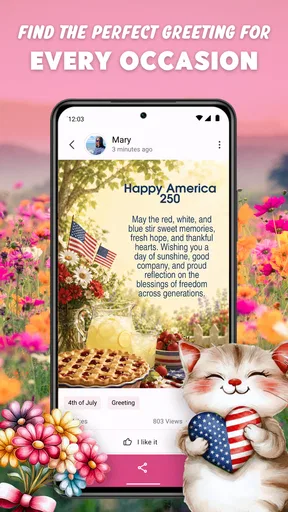
- Large collection of seasonal cards for many occasions
- Simple interface makes browsing and sharing quick
- Supports sending greetings through popular messaging apps
- Includes animated designs that feel more personal than plain text
- Useful for last-minute wishes when you need inspiration
Cons
- Some designs may feel generic or repetitive
- Advertising can interrupt browsing in the free version
- Certain cards or features may require in-app purchases
- Image quality varies between older and newer designs
- Requires access to storage or sharing apps to send cards
FAQs for Warm Wishes: Greetings & Cards
What is Warm Wishes: Greetings & Cards used for?
Warm Wishes: Greetings & Cards is designed to help you create and share thoughtful messages for birthdays, anniversaries, holidays, thank-you notes, congratulations, sympathy, and everyday occasions. It combines greeting-card designs with ready-to-use wishes, making it useful when you want to send something personal but do not have time to write a message or design a card from scratch.
Can I personalize the cards and greetings before sending them?
Yes, the app is intended to let users adapt greetings to their needs rather than sending every card exactly as provided. Depending on the selected design, you can usually add a personal message, choose an occasion, and share the finished card through supported apps. It is worth checking each template because editing options may differ between cards.
Does Warm Wishes: Greetings & Cards require an internet connection?
An internet connection may be needed to browse or load the complete collection of greeting cards, especially when images and new content are downloaded from the service. Some previously viewed material might remain available on your device, but offline access should not be assumed. For the smoothest experience, open the app while connected to Wi-Fi or mobile data.
Is Warm Wishes: Greetings & Cards free to download and use?
The application may be available to install without an upfront charge, but free access can vary depending on the platform, region, and the specific content included. Some designs or features may involve advertisements, in-app purchases, or premium access. Before downloading, review the current Google Play or App Store listing so you understand possible costs and subscription terms.
How can I share a card created in Warm Wishes: Greetings & Cards?
After choosing and customizing a greeting, you can generally use your device’s sharing options to send it through messaging applications, email, social networks, or other compatible services. The exact choices depend on the apps installed on your phone. If a direct share option is unavailable, saving the card to your device and attaching it manually may be a practical alternative.


